The short answer
Does “Reject all” mean Google receives nothing?
With Basic Consent Mode, the relevant Google tags remain blocked and send no data when consent is refused. With Advanced Consent Mode, tags can load with denied defaults and send limited cookieless signals. The actual result depends on the implementation and the permissions given, not just the wording on the banner.
Consent Mode overview ↗Someone visits your website, clicks “Reject all” and leaves. What appears in Google Ads or GA4? The answer matters when you are deciding how much confidence to put in your lead numbers. A cookie banner is only the visible part. The real question is whether the visitor’s choice reaches the tags correctly and changes what they send.
Basic mode: blocked tags, not simply fewer cookies
In Basic Consent Mode, the relevant Google tags do not load before consent. If the visitor declines, those tags send nothing to Google, including the consent status. That does not mean Google Ads has no conversion modeling at all. Google describes Basic mode as using a general model rather than the advertiser-specific modeling available with Advanced mode.
Consent Mode overview ↗Advanced mode: cookieless does not mean no data
Advanced Consent Mode allows Google tags to load with consent set to denied. They can send limited measurement signals without using the storage that was refused. Google says these requests may contain a timestamp, browser information and the referring page. They can support modeling, but they do not recreate a complete, observed journey for every visitor who rejected cookies.
Consent Mode overview ↗One banner. Three different outcomes.
What the relevant Google tags can do
Tags stay blocked
No data from the blocked Google tags, including consent status.
General conversion modeling may still apply.Limited signals
Tags can send cookieless measurement signals with denied defaults.
Cookieless is not the same as no data.Permissions decide
Storage and data use follow the individual permissions given.
Analytics and advertising are separate choices.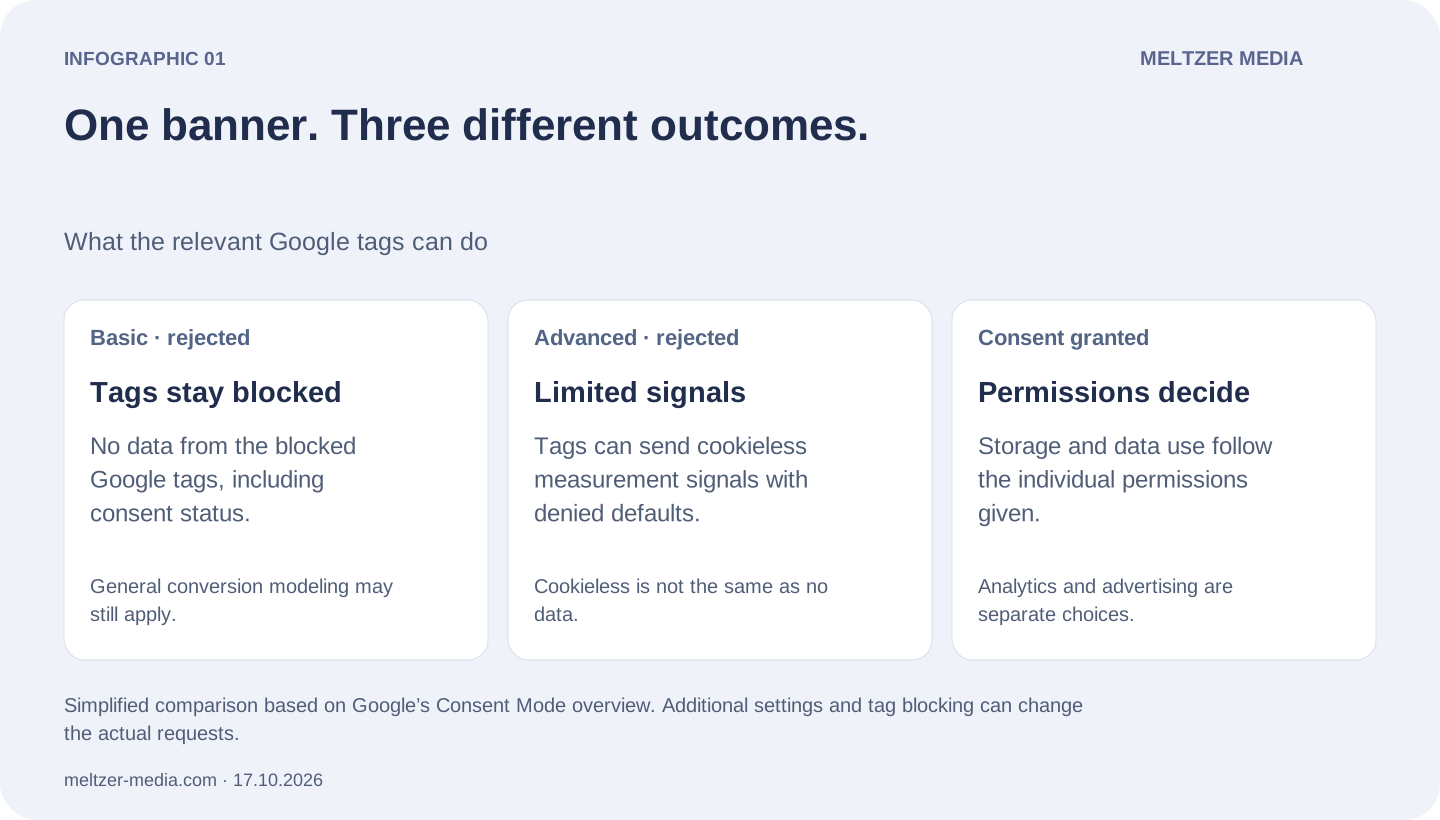
When consent is granted, the tags can use the storage and data allowed by those choices. Analytics consent is not blanket permission for advertising. Nor does accepting cookies guarantee a lower cost per lead. Reliable conversion goals and a correctly configured tracking setup still matter.
A partial choice needs a partial response
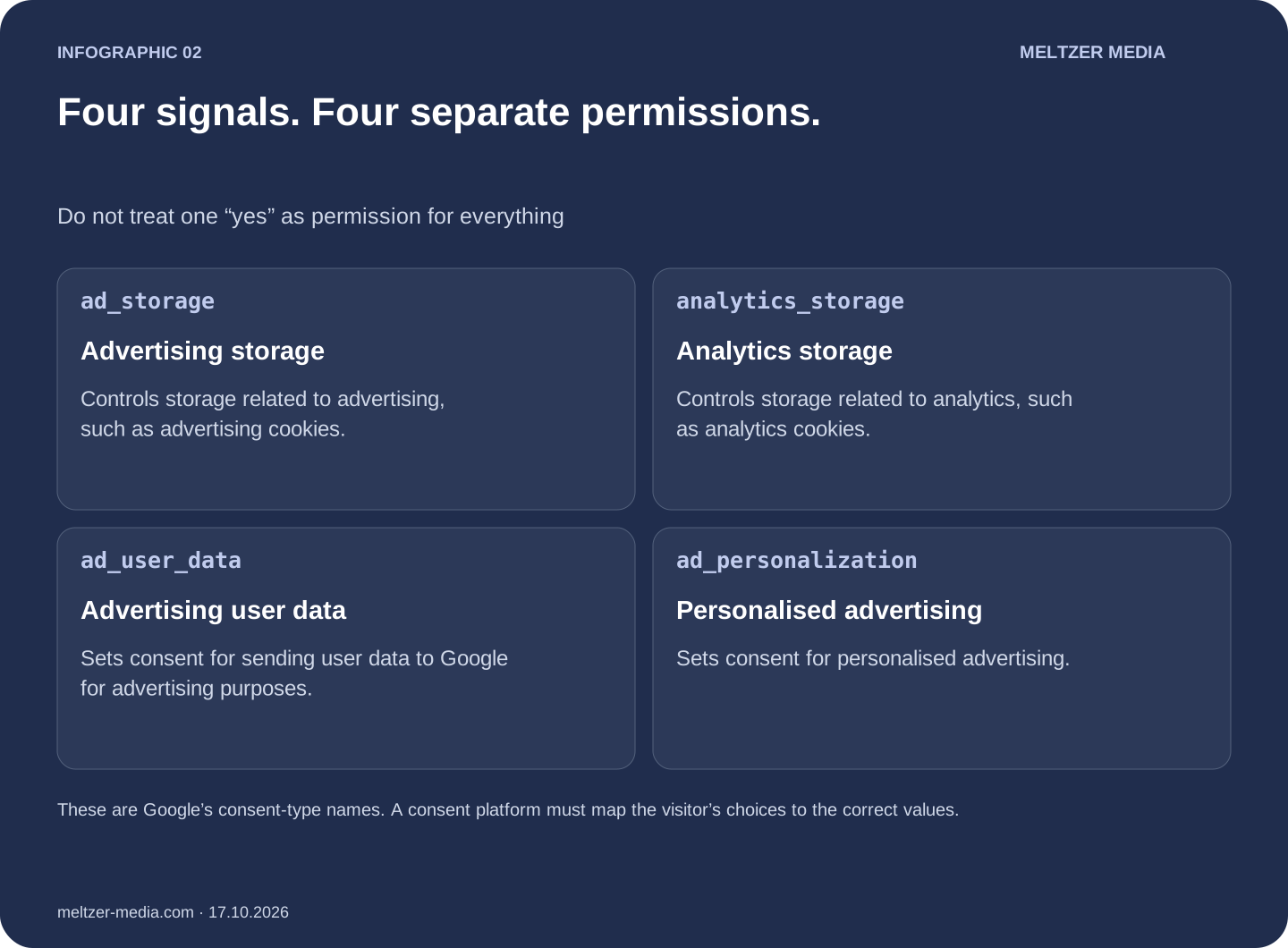
A visitor may agree to analytics but refuse personalised advertising. Those choices should remain distinct in the implementation. Check the four values rather than assuming that the banner’s “Accept” button correctly sets every permission. Google’s implementation guide also stresses that defaults must be set before the measurement commands that depend on them.
Implementation guide ↗Four signals. Four separate permissions.
Do not treat one “yes” as permission for everything
Advertising storage
Controls storage related to advertising, such as advertising cookies.
Analytics storage
Controls storage related to analytics, such as analytics cookies.
Advertising user data
Sets consent for sending user data to Google for advertising purposes.
Personalised advertising
Sets consent for personalised advertising.
Google Ads and GA4 modeling are not the same feature
Google Ads conversion modeling and GA4 behavioral modeling have different requirements. For Ads, review the current country-and-domain eligibility criteria and the account’s diagnostics instead of assuming that installation means modeling is active. Modeling needs enough data and confidence; some gaps may remain.
Google Ads conversion modeling ↗GA4’s stated prerequisites include at least 1,000 events per day with analytics storage denied for at least seven days, plus at least 1,000 daily users with analytics storage granted on at least seven of the previous 28 days. Advanced implementation is also required. Meeting the minimums does not guarantee eligibility. A smaller lead-generation site can have a correct setup and still fall below the modeling requirements.
GA4 behavioral modeling and eligibility ↗Start with a real visitor journey
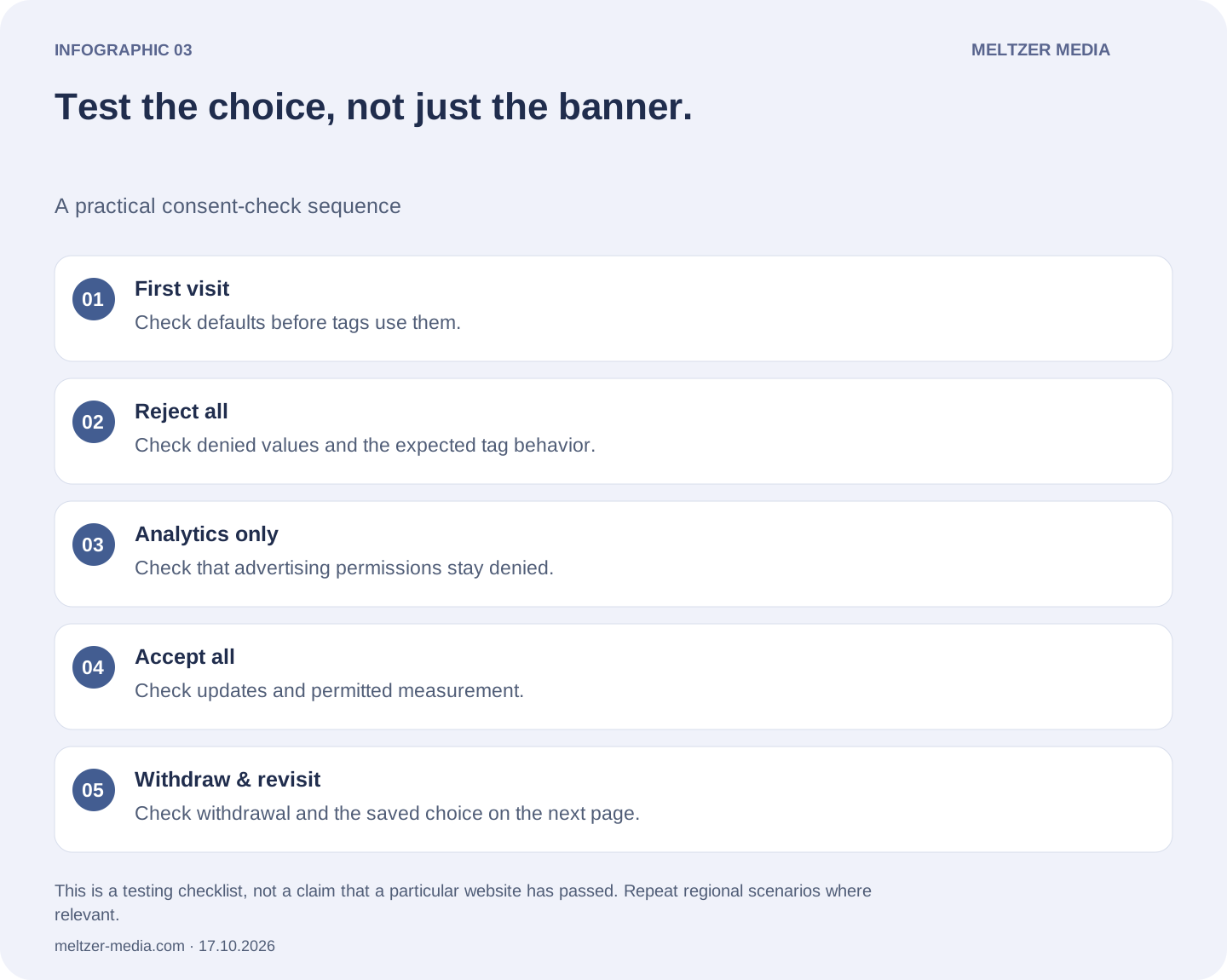
Use a fresh browser session and Google Tag Assistant. Inspect the earliest consent default, then the consent update and the tags that fired or stayed blocked after each choice. Test rejection, acceptance and a partial selection separately. Check withdrawal and saved preferences too. If defaults vary by region, include those regions in the test. Do not read a visible banner as proof that the implementation works.
Troubleshooting with Tag Assistant ↗Test the choice, not just the banner.
A practical consent-check sequence
First visit
Check defaults before tags use them.
Reject all
Check denied values and the expected tag behavior.
Analytics only
Check that advertising permissions stay denied.
Accept all
Check updates and permitted measurement.
Withdraw & revisit
Check withdrawal and the saved choice on the next page.
Choose Basic or Advanced in line with your organisation’s privacy requirements and applicable law. Consent Mode is a technical tool, not a guarantee of legal compliance. Get qualified advice where needed before changing consent defaults or data transmission.
Recommended reading: Google’s own documentation
Start with Google’s overview for the official Basic vs Advanced comparison. The implementation and troubleshooting guides are worth keeping beside you during a real test.
Reviewed 17 October 2026. Features, thresholds and eligibility can change. This article explains the technology; it is not legal advice.